Resume Header Examples: How to Write a Professional Resume Header (2026)
Resume header examples for 2026. Learn what to include, what to avoid, ATS-safe formatting, and see professional resume header examples for every career stage.
Introduction
According to ResumeToJobs, over 98% of Fortune 500 companies use Applicant Tracking Systems (ATS) to screen resumes before a human ever sees them. According to Lee Ann Chan on LinkedIn:
> "Your resume has 6 seconds to impress a hiring manager. Here's exactly what a resume needs to stop the scroll, pass the ATS, and land the interview: A bold, scannable header that leads with your title AND value proposition, not just your name."
According to Ashley White, a resume expert at Resume.io:
> "The header on a resume serves a dual purpose: to provide your contact information and set the tone for the rest of your resume."
But according to Muhammad Waqas on LinkedIn:
> "Most resumes fail before a human ever sees them. Not because you lack skills, but because your resume is built wrong."
This guide covers everything you need to know about resume headers and sections — what to include, what to avoid, ATS-safe formatting, and real examples for every career stage.
“Resume Header & Sections: Key Takeaways
- 98% of Fortune 500 companies use ATS to screen resumes
- Recruiters spend 6 seconds on an initial scan
- 82% of rejected resumes have less than half the required keywords
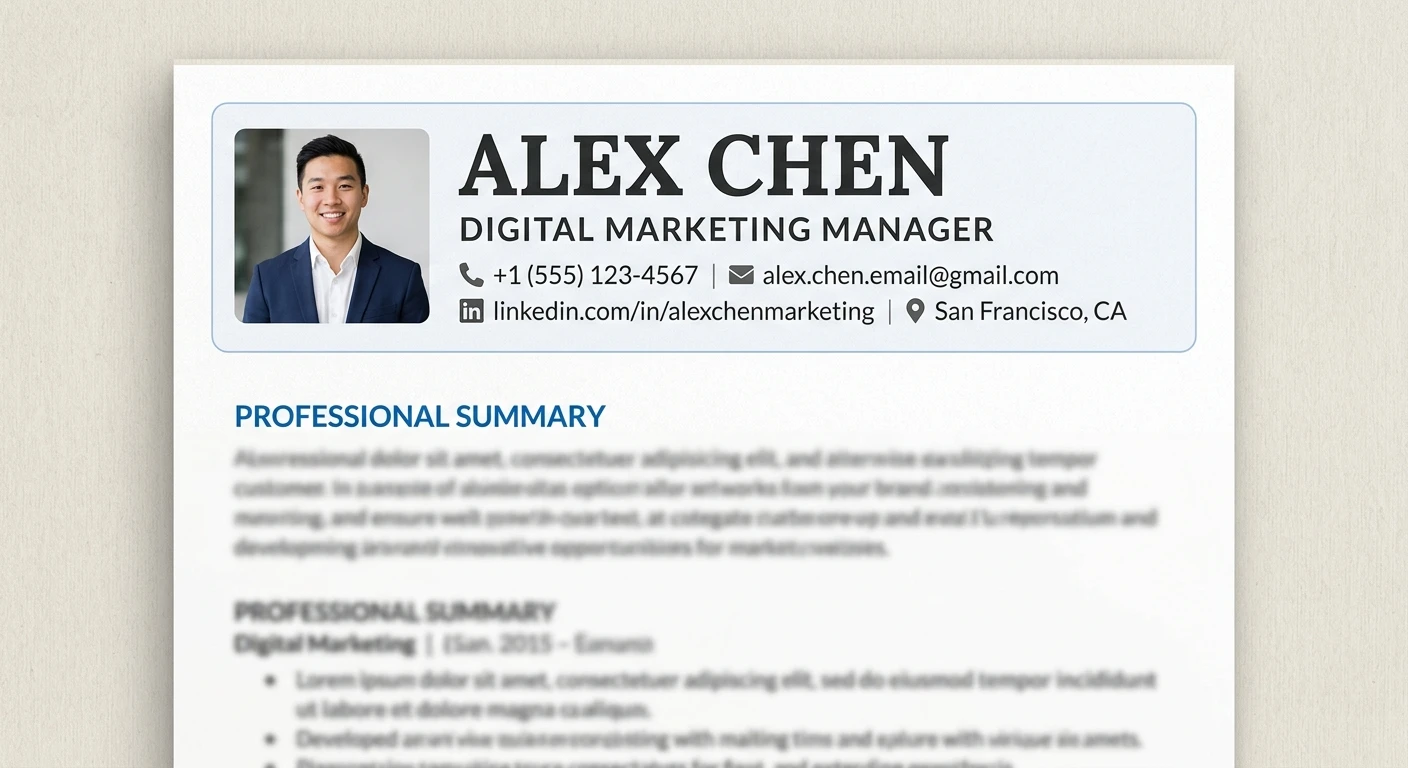
- Header = name (largest text) + target job title + contact info
- Use plain text only — no icons, tables, text boxes, or columns
- Never place contact info in the Word header/footer — ATS skips it
- The safe core headings are: Summary, Experience, Education, Skills
- Entry-level order: Education before Experience
- Experienced order: Experience before Education
- Keep header to 4 lines maximum”
What You'll Learn in This Guide
- The 6 essential resume sections
- Resume header examples for every career stage
- What to include (and exclude) in your header
- ATS-safe formatting rules for headers and headings
- The correct order of resume sections by experience level
- Standard vs creative section headings (and why it matters)
- Common mistakes that get resumes rejected
The 6 Essential Resume Sections
According to Resume-Example.com, every resume needs six essential sections:
1. Header — Name and contact information
2. Summary — Your opening argument (who you are and what you offer)
3. Work Experience — What you produced and where
4. Skills — What is relevant to this role
5. Education — Your academic background
6. Optional Sections — Certifications, projects, languages, awards
According to Indeed:
> "Recruiters usually spend a few seconds scanning the resume before they read it. Following a proper structure helps to organize the information on your resume concisely so that it's easy for the recruiter to quickly identify your critical skills."
Section 1: Resume Header Examples
What to Include in a Resume Header
According to Resume.io:
> "Your name should be at the top of your resume header. Bold your name or use a larger font size to make it stand out. It should be the first thing a hiring manager notices about your resume."
According to Indeed:
> "Begin the resume by including your first and last name in a larger font at the top, as it makes it easy for the recruiter to differentiate your profile from the other candidates."
Essential Header Elements:
| Element | Format | Example |
|---|---|---|
| Full Name | 14-16pt, bold, largest text on page | EMILY CARTER |
| Target Job Title | Same size as body text, matches job posting | Marketing Manager |
| Phone Number | With country code, professional voicemail | (555) 123-4567 |
| Professional Email | firstname.lastname format | emily.carter@email.com |
| Location | City and state only, no full address | Boston, MA |
| LinkedIn URL | Custom URL, updated profile | linkedin.com/in/emilycarter |
| Portfolio/GitHub | If relevant to the role | github.com/emilycarter |
Resume Header Examples by Career Stage
Example 1: Standard Professional Header
“EMILY CARTER
Marketing Manager
(555) 123-4567 | emily.carter@email.com | Boston, MA
linkedin.com/in/emilycarter”
Example 2: Entry-Level / New Graduate
“MICHAEL CHEN
History Graduate | Research Assistant
(555) 987-6543 | michael.chen@email.com | Chicago, IL
linkedin.com/in/michaelchen”
Example 3: Technical / Developer
“SARAH JOHNSON
Senior Software Engineer | Python, AWS, Kubernetes
(555) 555-5555 | sarah.johnson@email.com | Seattle, WA
linkedin.com/in/sarahjohnson | github.com/sarahjohnson”
Example 4: Career Changer
“DAVID RODRIGUEZ
Project Manager | Former Operations Lead
(555) 321-0987 | david.rodriguez@email.com | Austin, TX
linkedin.com/in/davidrodriguez”
Example 5: Executive
“JENNIFER WASHINGTON
Chief Marketing Officer | B2B SaaS | Growth Strategy
(555) 111-2222 | jennifer.washington@email.com | New York, NY
linkedin.com/in/jenniferwashington”
What NOT to Include in a Resume Header
According to Resume-Example.com and ResumeToJobs:
| ❌ Don't Include | Why It Hurts |
|---|---|
| Photos (for U.S. applications) | ATS cannot read images; triggers discrimination concerns |
| Full mailing address | Outdated; city and state is sufficient |
| Icons or graphics | ATS cannot parse text inside images |
| Text boxes | Most ATS systems skip text in text boxes entirely |
| Contact info in Word header/footer | Most ATS systems skip headers and footers |
| Multiple columns | Right column content gets inserted randomly |
| Quotes or personal statements | Unprofessional; wastes space |
| Unprofessional email | Signals poor judgment |
ATS Rules for Resume Headers
According to ResumeToJobs:
> "82% of rejected resumes have less than half the required keywords."
According to Adam Broda on LinkedIn:
> "Clean header with contact info - Name at top (slightly larger, 14-16pt). Email and phone on one line below."
> "Single column - ATS systems and human eyes both scan left to right, top to bottom."
ATS Rules for Headers:
| Rule | How to Comply |
|---|---|
| Plain text only | No icons, graphics, or images |
| Single column | ATS scans left to right, top to bottom |
| Main document body | Never place contact info in Word header/footer |
| 4 lines maximum | Keep the highest-leverage 60 characters |
| Standard fonts | Arial, Calibri, Times New Roman |
| Consistent hierarchy | Name largest, all other text same size |
Section 2: Professional Summary
According to Indeed:
> "The professional summary is a short introduction at the top of the resume. It describes your qualifications, relevant experiences, skills, and key accomplishments. This section aims to summarize your professional accomplishments in three to five sentences and gain the recruiter's attention."
According to Lee Ann Chan:
> "The professional summary should be your 'Elevator Pitch' in text form. If it takes more than 5 seconds to understand your value, it needs a rewrite."
According to Farhoon Asim, who reviewed 1,000+ CVs in 2025:
> "The summary is doing so much heavy lifting now. Recruiters are scanning, not reading even more in 2026, no one has time to read the entire thing!"
Summary Best Practices (per Muhammad Waqas):
| Practice | Why It Works |
|---|---|
| 3-4 lines maximum | Recruiters scan, not read |
| Third person (no I/me/my) | Professional tone |
| Role + value + impact | Communicates what you offer |
| 6-8 keywords naturally | ATS keyword matching |
| Match job title from description | Signals role fit |
Section 3: Work Experience
According to Muhammad Waqas:
> "Experience: Highest ATS importance. Use reverse chronological order, 3-6 bullets per role, achievement-led format (Action + What + Tool + Result). Avoid logos or company graphics."
Experience Section Rules:
| Rule | How to Comply |
|---|---|
| Reverse chronological order | Most recent role first |
| 3-6 bullets per role | Enough to show impact, not overwhelming |
| Achievement-led bullets | Action + What + Tool + Result |
| Quantified results | Numbers, percentages, dollar amounts |
| No logos or graphics | ATS cannot parse them |
Section 4: Skills
According to Muhammad Waqas:
> "Core Skills: ATS scans this section heavily to calculate match score. Best practices: 8–15 relevant skills. Mix tools, hard skills, and role-specific skills. Use exact wording from job posts."
Skills Section Best Practices:
| Practice | Why It Works |
|---|---|
| 8-15 skills | Enough to match ATS keywords without padding |
| Mix tools, hard skills, role-specific | Broadens match potential |
| Exact wording from job posts | ATS matches exact keywords |
| No tables or progress bars | ATS cannot parse either |
Section 5: Education
According to Muhammad Waqas:
> "Education: Medium ATS importance. Include degree, major, institution, and year. Keep formatting consistent. Place after experience unless you're a fresher."
Education Placement by Career Stage:
| Career Stage | Placement |
|---|---|
| Fresher / Entry-Level (0-3 years) | Before Experience |
| Experienced (3+ years) | After Experience |
Section 6: Optional Sections
According to Muhammad Waqas:
| Section | Best Practices |
|---|---|
| Certifications | Only industry-recognized credentials; include issuing body and year; spell names exactly; no badge images |
| Projects | Very strong for IT, tech, design, freshers, freelancers; treat like experience; use keywords and measurable results |
| Languages | Only include if relevant to the role; specify proficiency level |
| Awards | Only if significant and recent (within 5 years) |
| Volunteer Work | Include if it demonstrates relevant skills |
Resume Section Order by Career Stage
According to Indeed and CV Pro, the correct order of sections depends on your experience level.
| Career Stage | Section Order |
|---|---|
| Entry-Level (0-3 years) | Name → Contact → Professional Summary → Education → Certifications → Experience → Skills |
| Experienced (3+ years) | Name → Contact → Professional Summary → Experience → Skills → Education → Certifications |
| Career Changer | Name → Contact → Professional Summary → Skills → Relevant Experience → Education → Certifications |
| Executive | Name → Contact → Executive Summary → Experience → Board & Advisory Roles → Education → Certifications |
According to CV Pro:
> "The standard order is: Summary → Work Experience → Education → Skills → Extras (certifications, languages, etc.)."
ATS-Compatible Section Headings (Safe List)
According to ATSVerification, the leading ATS testing lab:
> "Headings are field labels, not style choices. The parser matches your headings against known patterns to decide what's experience, what's education, and what's skills. An unrecognized heading means unrouted content."
> "In our 2026 parsing benchmark, the resume with creative headings was flagged for missing standard sections and lost points — identical content, worse outcome."
Safe Heading List:
| Section | Safest Heading | Also Recognized | Avoid |
|---|---|---|---|
| Opening pitch | Summary | Professional Summary, Profile | A Little About Me, My Story, Snapshot |
| Work history | Experience | Professional Experience, Work History, Employment History | Where I've Made an Impact, My Journey, Career Highlights Reel |
| Degrees | Education | Academic Background, Education & Qualifications | Learning, Where I Studied, Knowledge Base |
| Capabilities | Skills | Technical Skills, Core Competencies, Core Expertise | What I'm Good At, Toolbox, Superpowers |
| Credentials | Certifications | Licenses & Certifications | Badges, Accreditations |
According to ATSVerification:
> "The safe core is four words: Summary, Experience, Education, Skills. Recognized variants exist, but these four route cleanly everywhere."
> "Creativity belongs inside the sections, not on them. Your bullets can have personality; your headings are infrastructure."
Common Resume Header & Section Mistakes
| Mistake | Why It Hurts | Fix It |
|---|---|---|
| Creative headings | ATS may ignore entirely — content is lost | Use standard headings: Summary, Experience, Education, Skills |
| Two-column layout | Right column content gets inserted randomly, producing garbled output | Use single-column layout always |
| Contact info in Word header/footer | Most ATS systems skip text in headers/footers | Place in main document body |
| Photos or icons | ATS cannot read text inside images | Use plain text only |
| Text boxes | Most ATS systems completely skip text in text boxes | Use standard text formatting |
| References section | Not needed — recruiters ask separately | Use space for achievements instead |
| Job title mismatch | ATS may not match you to the role | Copy exact job title from posting into resume |
| Header longer than 4 lines | Wastes space and dilutes impact | Keep to highest-leverage 60 characters |
Before and After: Resume Header Rewrite
Before (Weak Header)
“John
123 Main Street, Apartment 4B, Springfield, Illinois 62701
Home: (555) 123-4567 | Cell: (555) 765-4321
coolguy2005@yahoo.com
Hobbies: Fishing, Gaming, Cooking”
After (Strong Header)
“JOHN SMITH
Project Manager | Agile | Cross-Functional Team Leadership
(555) 123-4567 | john.smith@email.com | Springfield, IL
linkedin.com/in/johnsmith”
According to Lee Ann Chan:
> "A bold, scannable header that leads with your title AND value proposition, not just your name."
Expert Quotes to Remember
“"The header on a resume serves a dual purpose: to provide your contact information and set the tone for the rest of your resume."”
“"Your resume has 6 seconds to impress a hiring manager. A bold, scannable header that leads with your title AND value proposition, not just your name."”
“"If ATS can't read this section [header], your resume is rejected instantly."”
“"Headings are field labels, not style choices. The parser matches your headings against known patterns. An unrecognized heading means unrouted content."”
“"Creativity belongs inside the sections, not on them. Your bullets can have personality; your headings are infrastructure."”
“"The summary is doing so much heavy lifting now. Recruiters are scanning, not reading even more in 2026, no one has time to read the entire thing!"”
“"Single column — ATS systems and human eyes both scan left to right, top to bottom."”
Sources & References
- Resume.io — Resume header components, name formatting, and design consistency
- Indeed (Canada) — Section order by career stage, contact info formatting
- Indeed (Canada) — CV headings and main heading vs subheadings
- ResumeToJobs — ATS parsing mechanics, safe fonts, single-column layouts
- ATSVerification — 2026 parsing benchmark and safe heading list
- Resume-Example.com — ATS format template and standard headings
- Muhammad Waqas (LinkedIn) — ATS-friendly resume breakdown by section
- Lee Ann Chan (LinkedIn) — 6-second scan and value proposition
- Farhoon Asim (LinkedIn) — 1,000+ CV review and 2026 checklist
- CV Pro (LinkedIn) — Section order and format by career stage
- Adam Broda (LinkedIn) — Ideal resume format from 10 tech recruiters
Conclusion: Build a Header and Section Structure That Gets Interviews
According to ResumeToJobs, 98% of Fortune 500 companies use ATS to screen resumes. According to Lee Ann Chan:
> "Your resume has 6 seconds to impress a hiring manager."
According to ATSVerification:
> "The safe core is four words: Summary, Experience, Education, Skills."
Key Takeaways:
- Header = name (largest text) + target job title + contact info
- Use plain text only — no icons, tables, text boxes, or columns
- Never place contact info in Word header/footer — ATS skips it
- Keep header to 4 lines maximum
- Use standard headings: Summary, Experience, Education, Skills
- Entry-level: Education before Experience
- Experienced: Experience before Education
- Quantify achievements in every section
Action Steps for Today:
1. Rewrite your resume header using the formula above
2. Check that all contact info is in the main document body
3. Replace any creative headings with standard ones
4. Reorder your sections based on your career stage
5. Run your resume through an ATS checker
6. Build your ATS-friendly resume with our ATS CV Maker
What should a resume header include?
According to Resume.io, a resume header should include your full name (largest text), target job title, phone number, professional email, city and state, and LinkedIn URL. According to Muhammad Waqas, 'If ATS can't read this section, your resume is rejected instantly,' so use plain text only — no icons, tables, or graphics.
What is the best format for a resume header?
According to Resume.io, 'the header on a resume serves a dual purpose: to provide your contact information and set the tone for the rest of your resume.' Use a single-column layout with plain text, keep it to 4 lines maximum, and place it in the main document body — never in the Word header or footer, which most ATS systems skip.
Should I put my photo on my resume header?
For U.S. applications, no. According to Resume-Example.com, ATS systems cannot read text inside images, and photos can trigger discrimination concerns. For some international markets (Germany, France, parts of Asia), a professional photo may be expected. Always check local norms before including one.
How many sections should a resume have?
According to Resume-Example.com, a resume should have six essential sections: header, summary, work experience, skills, education, and optional sections (certifications, projects, languages). According to ATSVerification, 'the safe core is four words: Summary, Experience, Education, Skills.'
What order should resume sections go in?
According to Indeed, entry-level candidates (0-3 years) should use: Name, Contact, Summary, Education, Certifications, Experience, Skills. Experienced candidates (3+ years) should use: Name, Contact, Summary, Experience, Skills, Education, Certifications. According to CV Pro, the standard order is 'Summary → Work Experience → Education → Skills → Extras.'
About the Author
Ash is a resume expert and career strategist who helps job seekers build ATS-friendly resumes that get interviews. Ash's work has been cited in leading career publications and trusted by job seekers worldwide.
Comments
Loading comments…