Resume Format Rules: Complete Guide for 2026
Master resume format rules for 2026. Learn the best resume formats, ATS-friendly design, and formatting rules to land more interviews.
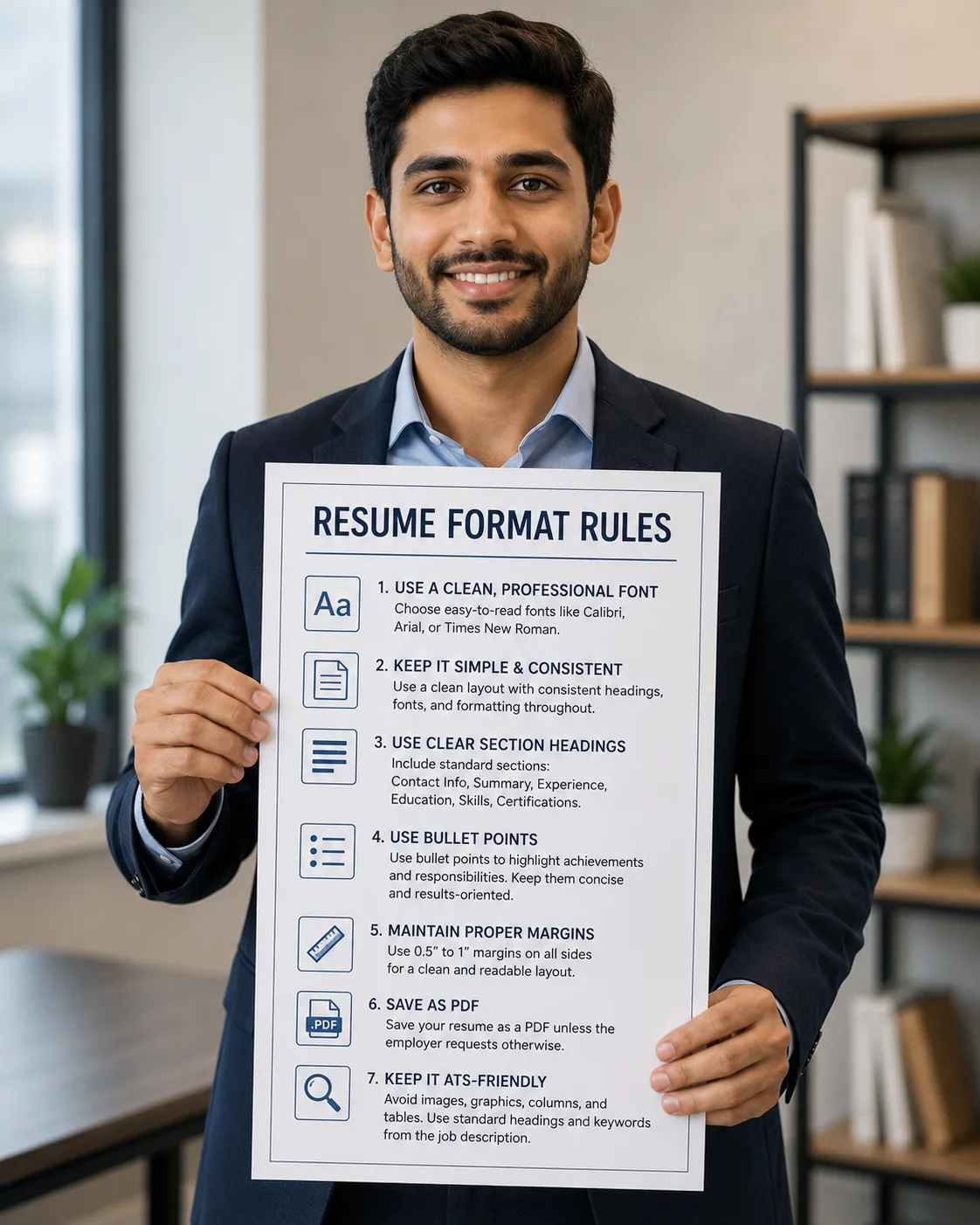
Introduction: What Are Resume Format Rules?
Resume format rules are the guidelines that determine how your resume is structured, designed, and presented to potential employers. Following the right format rules ensures your resume is professional, scannable, and ATS-compatible.
According to a study by The Ladders, recruiters spend an average of just 7.4 seconds scanning a resume before deciding whether to move forward with a candidate. Proper formatting makes it easy for recruiters to quickly find the information they need. This guide covers all the essential resume format rules you need to follow in 2026.
Key Takeaways
“✍️ Resume Format Rules Checklist
📄 Choose the Right Format: Reverse-chronological is best
💻 Use Professional Fonts: Arial, Calibri, Times New Roman
📈 Keep Margins at 1 Inch: Consistent, clean spacing
📝 Use Bullet Points: Make your resume scannable
💼 Keep It Concise: One page for most roles
🔍 Use Standard Headers: ATS-friendly section names
📏 Avoid Tables and Columns: They confuse ATS systems
📅 Save as PDF: Preserves your formatting
✅ Proofread: No errors accepted”
The 3 Main Resume Formats
Choosing the right format is the first and most important format rule. There are three main resume formats, each suited for different situations.
1. Reverse-Chronological Resume Format
The reverse-chronological format lists your work experience in reverse chronological order, starting with your most recent job and working backward. This is the most common and recommended format.
Best For:
- Professionals with steady career progression
- Applicants with 5+ years of relevant experience
- Most job seekers (recommended 80%+ of the time)
Pros:
- Familiar and expected by recruiters
- Highly ATS-friendly
- Shows career progression clearly
- Easy to scan
Cons:
- Highlights employment gaps
- Exposes frequent job changes
2. Functional Resume Format
The functional format focuses on skills and qualifications rather than chronological work history. It groups experience by skill category rather than by employer.
Best For:
- Career changers
- People with employment gaps
- New graduates with limited experience
- Returning to the workforce
Pros:
- Hides employment gaps
- Emphasizes transferable skills
- Good for career changers
Cons:
- Often viewed with suspicion by recruiters
- Poor ATS compatibility
- Doesn't show career progression
3. Combination (Hybrid) Resume Format
The combination format blends the skills emphasis of a functional resume with the chronological work history of a reverse-chronological format. It opens with a skills summary followed by a brief work history.
Best For:
- Career changers who want to show skills and history
- Professionals with gaps who want transparency
- Most applicants who fall between formats
Pros:
- Best of both worlds
- Highlights skills while showing history
- Increasingly popular with recruiters
Cons:
- Can be longer (2 pages)
- Requires careful structure
Resume Format Rules: The Ultimate Checklist
1. Font Rules
- Use Professional Fonts: Arial, Calibri, Times New Roman, or Helvetica
- Font Size: 10-12pt for body text, 14-16pt for headings, 18-22pt for your name
- Avoid Fancy Fonts: No script, decorative, or overly creative fonts
- Be Consistent: Use the same font throughout your resume
- Use Bold Strategically: Bold headings and key metrics, but don't overdo it
2. Margin and Spacing Rules
- Margins: 1 inch on all sides (0.5-inch minimum)
- Line Spacing: 1.15-1.5 for body text, 1.0 for headings
- Section Spacing: 2-3 lines between sections
- Paragraph Spacing: 1 line between bullet points
- White Space: Leave enough white space for readability
3. Section Rules
- Use Standard Headers: 'Professional Experience,' 'Education,' 'Skills'
- Order Sections by Relevance: Put the most important sections first
- Include All Essential Sections: Contact, Summary, Experience, Education, Skills
- Add Optional Sections: Certifications, Volunteer Work, Awards, Memberships
- Keep Sections Organized: Use consistent formatting across sections
4. Content Rules
- Use Bullet Points: Start every bullet with a strong action verb
- Keep Bullets Short: 1-2 lines per bullet point
- Quantify Achievements: Include numbers, percentages, and metrics
- Avoid Paragraphs: Use bullet points instead of dense paragraphs
- Customize for Each Job: Tailor content to each specific role
5. ATS-Friendly Formatting Rules
- Avoid Tables and Columns: These confuse ATS systems
- Use Standard Headers: 'Experience,' 'Education,' 'Skills'
- Save as PDF: Unless the job posting specifies Word
- Avoid Graphics and Images: ATS cannot read them
- Include Keywords: Mirror the job description language
6. Length Rules
- One Page: Ideal for most professionals (0-10 years experience)
- Two Pages: Acceptable for executives and experienced professionals (10+ years)
- Three Pages: Rarely needed, only for academics or senior executives
- Be Concise: Every word should add value
7. File Format Rules
- PDF is Best: Preserves formatting on all devices
- Word is Acceptable: If the job posting specifies Word
- Avoid Other Formats: No TXT, RTF, or Pages files
- File Naming: Use 'YourName_Resume.pdf' for professionalism
Common Resume Formatting Mistakes to Avoid
- Using Tables or Columns: Confuses ATS and makes parsing difficult.
- Overly Creative Design: Complex designs distract from content and hurt ATS.
- Inconsistent Formatting: Varying fonts, sizes, or spacing looks unprofessional.
- Too Much Text: Dense paragraphs are hard to scan.
- Too Little White Space: Cluttered resumes are hard to read.
- Wrong File Format: Submitting a Pages or TXT file instead of PDF.
- Missing Contact Information: Ensure your phone and email are visible.
- Saving with the Wrong Filename: Use 'YourName_Resume.pdf'
Resume Format Examples by Industry
Corporate / Business Resume Format
Format: Reverse-chronological
Sections: Summary, Core Competencies, Professional Experience, Education, Certifications
Focus: Quantified achievements, leadership, and business impact
Creative / Design Resume Format
Format: Combination (Hybrid)
Sections: Summary, Portfolio Link, Skills, Experience, Education
Focus: Portfolio link, creative projects, and visual layout (but still ATS-friendly)
Technology / IT Resume Format
Format: Reverse-chronological
Sections: Summary, Technical Skills, Professional Experience, Education, Certifications
Focus: Programming languages, tools, platforms, and project outcomes
Healthcare / Medical Resume Format
Format: Reverse-chronological
Sections: Summary, Licenses & Certifications, Clinical Experience, Education, Skills
Focus: Clinical competencies, patient care metrics, and compliance
Conclusion: Master Resume Format Rules for Career Success
Following proper resume format rules is essential for creating a document that gets noticed by both ATS systems and human recruiters. From choosing the right format to selecting fonts and margins, every detail matters.
Remember these key takeaways:
- Choose the right format for your experience level
- Use professional fonts and consistent formatting
- Keep your resume to one page (or two for experienced professionals)
- Use bullet points and white space for scannability
- Avoid tables, columns, and graphics that confuse ATS
- Save your resume as a PDF with a professional filename
Your resume format is your first impression. Make it count.
Comments
Loading comments…